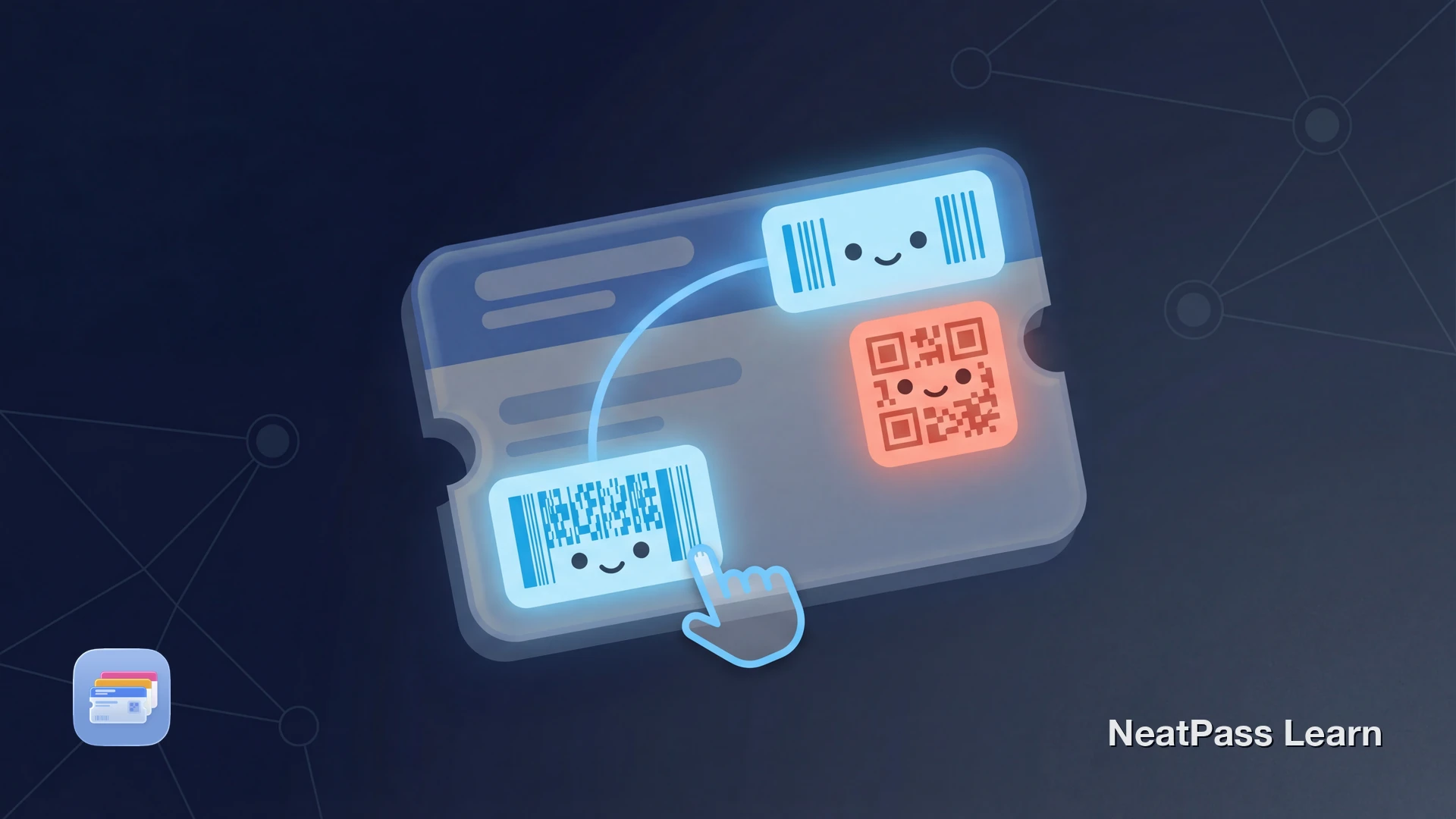
Dein Ticket hat drei Barcodes. Vielleicht vier. Ein großer QR-Code oben, ein schmaler Barcode unten, und dazwischen etwas, das wie ein dichter Block aus Linien aussieht. Du musst einen zu Apple Wallet hinzufügen, aber welcher ist der richtige?
Die meisten Tickets, Bordkarten und Eventbestätigungen enthalten mehrere Barcodes. Manche kodieren dieselben Daten in verschiedenen Formaten. Andere tragen komplett unterschiedliche Informationen. Den falschen zu wählen bedeutet, dass dein Pass am Eingang möglicherweise nicht scannt.
Warum Tickets mehrere Barcodes haben
Ticketaussteller fügen mehrere Barcodes für verschiedene Zwecke ein. Eine Bordkarte könnte einen Aztec-Code für den Gate-Scanner und einen separaten QR-Code haben, der zur Airline-App verlinkt. Ein Event-Ticket könnte dieselben Einlassdaten sowohl im QR- als auch im PDF417-Format wiederholen, damit verschiedene Scannertypen es lesen können.
Das Ergebnis ist verwirrend. Du siehst mehrere Codes und hast keine Möglichkeit zu erkennen, welche Duplikate sind und welche einzigartige Daten tragen. Hier ist, wie die gängigen Barcode-Typen aussehen und wo sie typischerweise vorkommen.
Gängige Barcode-Typen auf Tickets
QR-Code
Quadratisches Gittermuster. Das häufigste Format für Event-Tickets, Bordkarten und digitale Coupons. Hohe Datenkapazität und schnelles Scannen.
PDF417
Gestapelte Reihen schmaler Balken, breiter als ein Standard-Barcode. Standard bei Airline-Bordkarten und Ausweisen. Speichert große Mengen an Textdaten.
Code 128
Dünne horizontale Linien unterschiedlicher Breite. Häufig auf Versandetiketten, Einzelhandelsprodukten und manchen Event-Armbandbestätigungen.
EAN-13
Der Standard-Einzelhandels-Barcode mit 13 Ziffern. Zu finden auf Kundenkarten, Bibliotheksausweisen und Produktverpackungen in ganz Europa.
Aztec
Quadratischer Code mit einem Bullseye-Zentrum. Von Airlines und Transitsystemen verwendet. Häufig auf Deutsche-Bahn- und europäischen Bahntickets.
DataMatrix
Kleines quadratisches oder rechteckiges Gitter. Verwendet im Gesundheitswesen, in der industriellen Nachverfolgung und manchen Zugangskontrollsystemen. Sehr kompakte Datenkodierung.
Ein einzelnes Ticket kann diese Formate mischen. Ein Konzertticket könnte einen QR-Code für den Gate-Einlass und einen Code 128 Barcode für die interne Nachverfolgung des Veranstaltungsorts haben. Nur einer davon bringt dich durch die Tür. Für eine vollständige Übersicht der unterstützten Formate, siehe unterstützte Barcode-Formate.
Jeden Barcode zu Apple Wallet scannen
Mit NeatPass kannst du ganz einfach jedes Ticket, jeden Pass oder jede Kundenkarte in Apple Wallet umwandeln.
Wie NeatPass Duplikate erkennt
NeatPass v1.1 hat farbkodierte Barcode-Auswahl eingeführt, um genau dieses Problem zu lösen. Wenn du ein Ticket mit mehreren Barcodes scannst oder importierst, erkennt NeatPass alle und zeigt ein interaktives Overlay.
Die Schlüsselfunktion: Barcodes, die dieselben Daten kodieren, bekommen dieselbe Farbhervorhebung. Wenn dein Ticket einen QR-Code und einen PDF417 hat, die beide deine Einlassnummer enthalten, erscheinen sie in derselben Farbe. Ein dritter Barcode mit anderen Daten (wie ein Tracking-Code) bekommt eine andere Farbe.
Farbkodierte Gruppen
Barcodes mit identischen Daten teilen sich dieselbe Hervorhebungsfarbe. Erkenne Duplikate sofort, ohne selbst etwas dekodieren zu müssen.
Interaktives Overlay
Tippe auf einen beliebigen Barcode auf der erkannten Seite, um ihn auszuwählen. Sieh den Formattyp und die kodierten Daten, bevor du dich entscheidest.
Intelligente Erkennung
NeatPass nutzt On-Device KI, um alle Barcodes auf einer Seite gleichzeitig zu erkennen und ihre kodierten Inhalte in Echtzeit zu vergleichen.
Formatbewusste Auswahl
Wenn Duplikate existieren, schlägt NeatPass das für Apple Wallet am besten geeignete Format vor (QR oder Aztec statt lineare Codes).
Das bedeutet, du musst nicht mehr raten. Wenn zwei Barcodes dieselbe Farbe teilen, funktioniert jeder für den Einlass. Wähle das Format, das Apple Wallet am besten darstellt. Für Details zur Funktionsweise der Erkennung, siehe Live-Barcode-Erkennung.
Warum Farben wichtig sind
Welchen Barcode für dein Szenario wählen
Wenn dein Ticket mehrere Barcodes mit unterschiedlichen Daten hat, hängt die richtige Wahl davon ab, wofür du es verwendest.
Event-Tickets
Wähle den QR- oder Aztec-Code. Diese lesen Gate-Scanner. Ignoriere kleinere lineare Barcodes, die normalerweise für interne Nachverfolgung oder Bestellnummern sind.
Bordkarten
Nimm den PDF417- oder Aztec-Code. Airlines nutzen diese für Gate- und Sicherheitsscanner. Ein QR-Code auf der Seite verlinkt wahrscheinlich zur Airline-App oder -Website.
Kundenkarten
Verwende den Barcode, den der Kassenscanner liest. Das ist typischerweise EAN-13 oder Code 128. Wenn beide erscheinen und NeatPass dieselbe Farbe zeigt, funktioniert jeder.
Coupons und Gutscheine
Wähle den größten Barcode. Coupons enthalten oft einen kleinen Barcode für die Angebots-ID und einen größeren für das Scannen an der Kasse. Der Kassen-Barcode ist der, den du brauchst.
Wenn du unsicher bist, welchen Barcode du wählen sollst, hilft die Farbkodierung von NeatPass. Gleiche Farbe bedeutet gleiche Daten, also kannst du bedenkenlos einen von beiden wählen. Verschiedene Farben bedeuten verschiedene Daten, und du willst den, der zu den Einlass- oder Mitgliedsinformationen passt.
Schritt für Schritt: Den richtigen Barcode auswählen
Dein Ticket importieren
Das Farb-Overlay prüfen
Deinen bevorzugten Barcode antippen
Zu Wallet hinzufügen
Wenn NeatPass einen Barcode auf deinem Ticket nicht erkennt, siehe Barcode nicht erkannt für Fehlerbehebungstipps. Für Informationen zur Konvertierung von Barcodes zwischen Formaten, prüfe Barcode-Konvertierung.
Auto-Fill Abkürzung
Häufig gestellte Fragen
Der richtige Barcode, jedes Mal
Mehrere Barcodes auf einem Ticket müssen nicht verwirrend sein. Die farbkodierte Erkennung von NeatPass zeigt dir genau, welche Barcodes Duplikate sind und welche einzigartige Daten tragen. Wähle den richtigen, füge ihn zu Apple Wallet hinzu und scanne am Eingang mit Sicherheit.
Ob es ein Konzertticket mit drei Codes oder eine Bordkarte mit zwei ist, das Farb-Overlay nimmt das Rätselraten aus der Barcode-Auswahl.
Bereit, deine Karten zu migrieren?
LadenWeiterführende Artikel